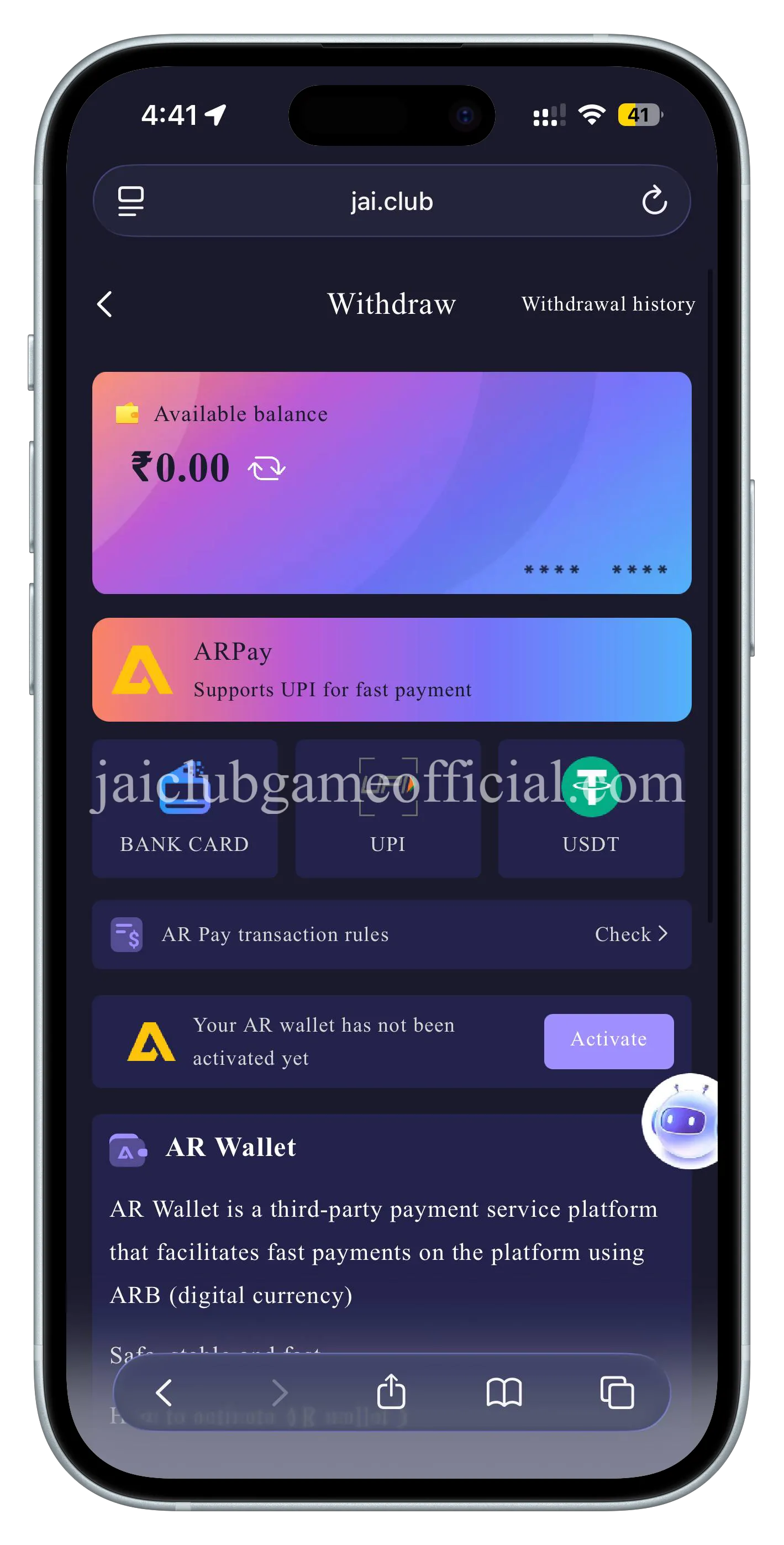
Jai Club Game withdrawal requires your total active bet to be ₹0.00 before you can submit a request. The minimum withdrawal amount is ₹1,000 and the maximum is ₹50,000 per transaction. You can withdraw daily between 00:00 and 23:59.
This guide covers every step of the Jai Club Game withdrawal process so your money reaches your bank account without delays.
Note: jaiclubgameofficial.com is an independent affiliate guide for Jai Club Game. We are not the official platform.
How to Withdraw Money from Jai Club Game
Step 1 — Click the Wallet icon
Tap the Wallet icon in the app or website navigation to open your wallet dashboard.
Step 2 — Click Withdraw
Select the Withdraw button from your wallet screen.
Step 3 — Enter the withdrawal amount
Type in the amount you want to withdraw.
Step 4 — Make sure your total active bet is ₹0.00
You cannot withdraw with active bets. Complete or cancel all active bets before submitting a withdrawal request.
Step 5 — Select your bank account or add a new bank account
If this is your first withdrawal, you will need to add your bank account details:
- Choose a bank
- Full recipient name
- Bank account number
- Phone number
- Email address
- IFSC code
Your payment details are saved securely for future withdrawals.
Step 6 — Input the withdrawal amount
Enter the exact amount you wish to withdraw.
- Minimum withdrawal: ₹1,000
- Maximum withdrawal: ₹50,000 per transaction
- Withdrawal window: 00:00 – 23:59 daily
- Remaining daily withdrawals shown in the app
Step 7 — Input your login password to confirm
Enter your Jai Club Game login password to authorise the withdrawal.
Step 8 — Click Withdraw
Tap Withdraw to submit your request.
⚠️ Before Withdrawing
Your total active bet must be ₹0.00 before you can withdraw. Complete or cancel all active bets first. This is a hard requirement — withdrawal will be blocked if you have any pending bets.
Jai Club Game Withdrawal — Limits and Window
| Detail | Amount | |--------|--------| | Minimum withdrawal | ₹1,000 | | Maximum per transaction | ₹50,000 | | Withdrawal window | 00:00 – 23:59 daily | | Daily withdrawal count | Shown in the app |
Deposit Methods on Jai Club Game
Jai Club Game supports the following deposit methods:
Step 1: Click the Wallet icon Step 2: Click Deposit Step 3: Choose deposit method:
- Expert UPI-QR
- Innate UPI-QR
- USDT (cryptocurrency)
Step 4: Select your channel (QR-7Day, QR-Rujia, QR-TyPay, QR-YayaPay — each has balance limits) Step 5: Enter deposit amount Step 6: Click Deposit Step 7: Complete payment by scanning the QR barcode
Available deposit amounts: ₹100, ₹500, ₹1K, ₹5K, ₹10K, ₹50K (or custom amount)
Common Jai Club Game Withdrawal Problems and Fixes
Problem 1 — Withdrawal Blocked
Cause: You have active bets in progress. Fix: Wait for all current bets to settle. Your total active bet must show ₹0.00 before the withdrawal button activates.
Problem 2 — Withdrawal Pending
Cause: High withdrawal volume or bank-side processing delay. Fix: Wait up to 30 minutes. If still pending, contact Jai Club support via in-app chat with your withdrawal reference ID.
Problem 3 — Incorrect Bank Details
Cause: Account number, IFSC code, or recipient name entered incorrectly. Fix: Go to Wallet → Payment Methods → Edit bank account. Verify all details carefully before resubmitting.
Problem 4 — Below Minimum Amount
Cause: Withdrawal amount is below ₹1,000. Fix: Ensure you are withdrawing at least ₹1,000. Play more rounds of Wingo or K3 to build your balance.
Problem 5 — Password Incorrect
Cause: Wrong login password entered in Step 7. Fix: Use your Jai Club Game login password (not a PIN or payment password). If forgotten, reset it via the login page.
5 Tips for Fast Jai Club Game Withdrawals
- Complete all bets before withdrawing. Your active bet total must be zero. Settle or cancel all open bets before attempting to withdraw.
- Double-check your bank details. Incorrect IFSC codes or account numbers cause failed withdrawals. Verify once before saving.
- Withdraw within the daily window. Withdrawal is available 00:00 – 23:59 daily. Check the remaining daily limit shown in your app.
- Keep bank details updated. If you change banks, update your account details in the Wallet section before your next withdrawal.
- Use the correct password. The withdrawal confirmation uses your login password, not a separate PIN. Keep it accessible.
Jai Club Game Withdrawal — Frequently Asked Questions
What is the minimum withdrawal amount on Jai Club Game?
The minimum withdrawal amount on Jai Club Game is ₹1,000 for all methods (UPI, bank transfer, and USDT). Before you can initiate any withdrawal, your total active bet balance must show ₹0.00 — you cannot submit a withdrawal request while any bet is still active or pending settlement. The maximum single withdrawal transaction is ₹50,000. Withdrawals are processed during the daily window of 00:00 to 23:59, and you can check your remaining daily withdrawal allowance directly inside the Jai Club Game app under your wallet section. Under normal conditions, withdrawals complete in 5 minutes to 24 hours after submission.
What is the maximum withdrawal amount on Jai Club Game?
The maximum withdrawal per transaction on Jai Club Game is ₹50,000. This limit applies to a single withdrawal request. If you need to withdraw more than ₹50,000, you will need to submit multiple separate withdrawal requests across different transactions. Before any withdrawal, ensure your total active bet is ₹0.00, as withdrawals are blocked while active bets are outstanding. The minimum per transaction is ₹1,000. The daily withdrawal limit and remaining daily withdrawal count are shown inside the Jai Club Game app in your wallet section, so check there before submitting large withdrawals.
Why can't I withdraw from Jai Club Game?
The most common reason you cannot withdraw from Jai Club Game is that your total active bet balance is not ₹0.00. All active bets must be fully settled or cancelled before the withdrawal button becomes active. Other reasons include: entering an incorrect login password in the withdrawal confirmation step, providing incorrect or incomplete bank details (wrong IFSC code, wrong account number, or missing email address), or attempting to withdraw below the ₹1,000 minimum. If your details are correct and bets are settled but withdrawal is still blocked, contact Jai Club Game in-app support with your account details for assistance.
What bank details are required for Jai Club Game withdrawal?
To complete a Jai Club Game withdrawal, you need to provide the following bank details: your bank name, full recipient name (exactly as it appears on your bank account), bank account number, registered phone number, email address, and IFSC code. All six fields are required — incomplete information will result in a failed or rejected withdrawal. These details are saved securely after your first entry, so future withdrawals will use your saved bank account automatically. If you change banks or update your account, go to Wallet → Payment Methods to update your saved bank details before your next withdrawal.
What are the deposit methods on Jai Club Game?
Jai Club Game currently supports three deposit methods: Expert UPI-QR, Innate UPI-QR, and USDT (cryptocurrency). Each UPI-QR method uses QR code scanning for payment — select your channel (QR-7Day, QR-Rujia, QR-TyPay, or QR-YayaPay), each of which has its own balance limits. The minimum deposit amount is ₹100, and available preset deposit amounts include ₹100, ₹500, ₹1,000, ₹5,000, ₹10,000, and ₹50,000, with a custom amount option also available. Deposits are credited to your Jai Club wallet immediately upon successful payment confirmation. Legacy methods such as direct PhonePe, Google Pay, or Paytm transfers are not listed as options.
Summary
Jai Club Game withdrawal requires 8 steps: click Wallet, click Withdraw, enter amount, ensure active bets are ₹0.00, add bank details (bank name, recipient name, account number, phone, email, IFSC), enter amount again, input login password, and click Withdraw. Minimum is ₹1,000, maximum is ₹50,000 per transaction, available 00:00–23:59 daily. Processing time is typically 5 minutes to 24 hours.
Read our registration guide to create your account, or our login guide if you need help accessing your account.
Play responsibly — read our Responsible Gambling Guide.